
 EOS Agent
Choose your model
Configure provider connections, API endpoints and keys. Check connectivity and select a model; tool and vision support depend on the model and endpoint.
EOS Agent
Work on a local project with AI, inspect changes, run commands and use the browser in one window. Connect your own model API and review the result before you ship.
Free binaries for personal and commercial work
Windows x64 · macOS Intel / Apple Silicon · Linux x64 / ARM64
Model API usage is billed separately by your provider. Free software does not include free model credits.
Desktop source code is not public. GitHub hosts official packages, release notes and issue reports.
Ask Agent to update one file in a sample project. Approve the command, check that it ran successfully, and review the diff.
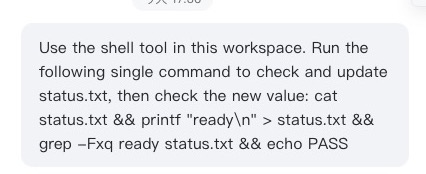
The task is to change the release status from draft to ready.

Agent asks before running a command that writes to the file.

The command checks the new value and exits successfully.
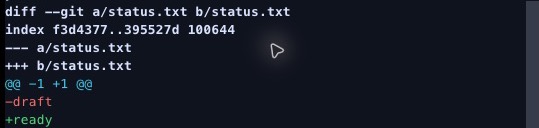
The diff shows exactly what changed in status.txt.
EOS Agent Dev · macOS · Qwen2.5 0.5B
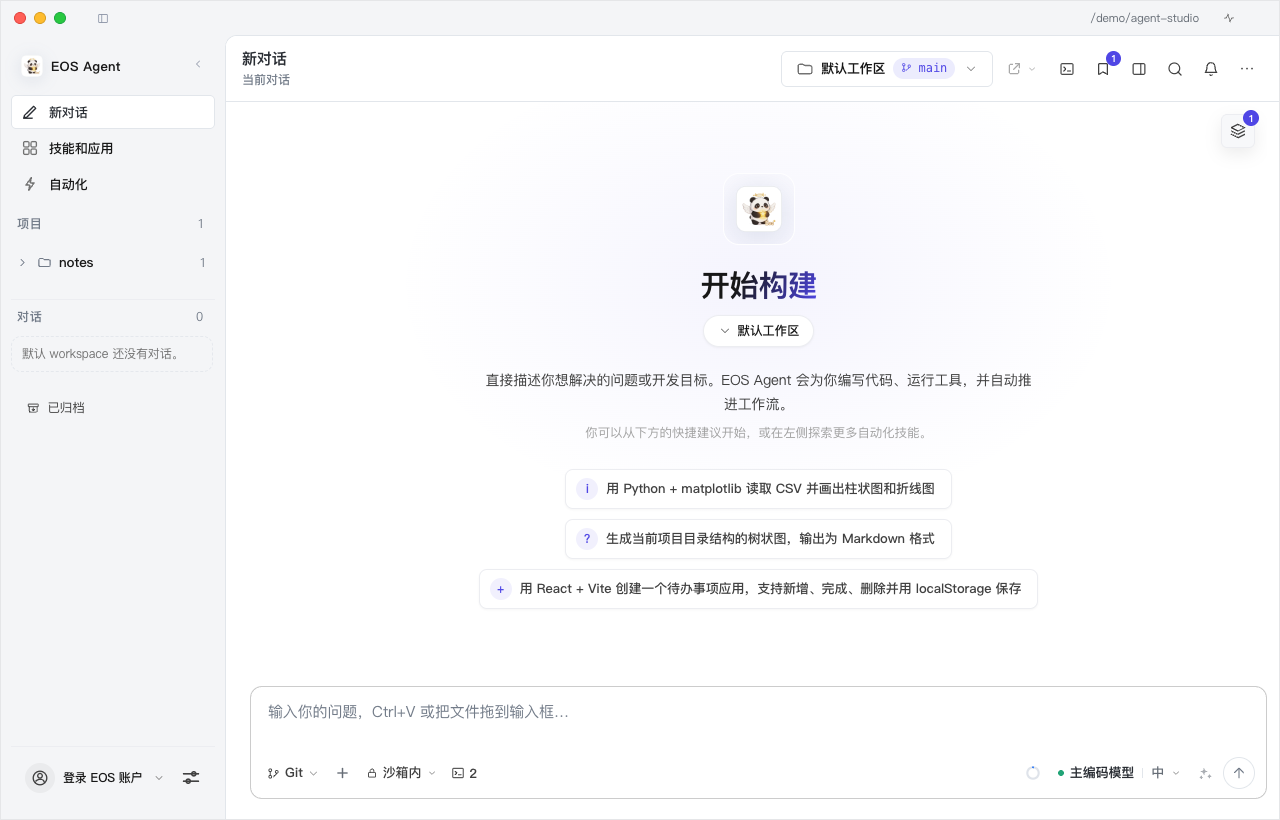
Configure provider connections, API endpoints and keys. Check connectivity and select a model; tool and vision support depend on the model and endpoint.
Use project conversations, attachments, tasks and the integrated terminal to read files, make changes and run verification commands.
View repository status and diffs, create worktrees, commit and push from the workspace. Git and project dependencies must be installed as needed.
Navigate, click and fill pages with a supported browser backend; take over for sign-in. macOS/Windows have native embedded hosts; Linux defaults to a separate browser engine. Browser availability and site restrictions apply.
Plan/auto modes, approvals and tool policies control requested actions. These checks do not imply complete operating-system isolation; check the active sandbox status in the app.
Manage rules, memory, skills and MCP connections. Usage and cost estimates may be unavailable when model usage or pricing data is missing; the provider invoice is authoritative.
Official product demo. It is not an independent review or a promise that every task will succeed.
These are suggested evaluation tasks, not published benchmark results or guaranteed outcomes. Your model, project and permissions affect the result.
Provide reproduction steps and the expected result. Ask for a patch, inspect the diff and run the relevant test.
Start your development server, ask the agent to inspect the page in the browser, and verify any proposed UI change yourself.
Ask for an explanation of the entry points and a proposed plan before editing. Check the referenced files and approve the scope.
Model requests go to the endpoint you configure and can include messages, selected files, project context, command output and screenshots used by the task. The provider or proxy you choose controls its own retention and data policies.
Project files and conversation history are stored locally. API credentials use local credential storage. Browser visits, updates, model discovery, MCP servers, plugins and optional account features also make network requests. Check the services you enable before using confidential data.
Yes. Individuals and organizations may use official, unmodified binaries free of charge for internal work, commercial project development and paid client work. This does not grant desktop source rights or permission to repackage or sell EOS Agent itself. See the binary license.
No. Protocol compatibility, tool calling, vision, context limits and reasoning controls vary by provider and model. Use the connection checks and review the selected model's capabilities.
No. AI can make mistakes, and approvals or sandbox settings do not replace review. Verify code, commands and outputs before using them in a real project.
Free binaries for personal and commercial work Desktop source code is not public. GitHub hosts official packages, release notes and issue reports.
Model API usage is billed separately by your provider. Free software does not include free model credits.
Prefer not to manage an API key? Sign in to your EOS account and choose an optional subscription for EOS-hosted models.